AI search visibility
See whether AI assistants such as ChatGPT mention your brand when buyers ask them.
After this chapter: you regularly see whether AI recommends you, in what position, and which websites it cites.
- Step 1
Enter your brand and competitors
Click "AI search visibility" → "Settings". Fill in the brand name, aliases (Chinese and English names, short names), website domains and main competitors (up to 10), pick which AI to check, and click "Save settings".
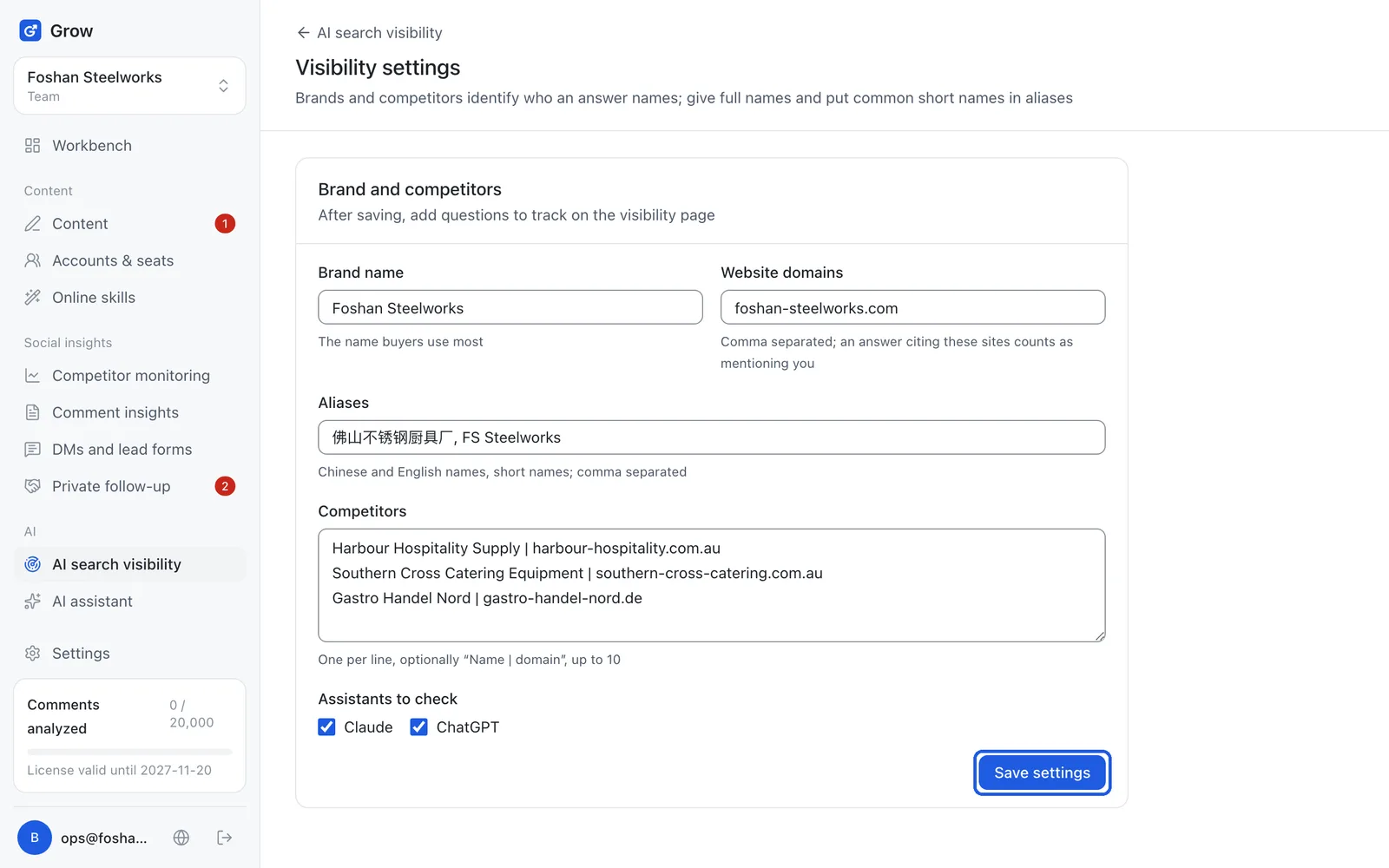
Tip: An AI marked as not configured will not be checked for now.
- Step 2
Add the questions buyers ask
Back on the visibility page, click "Add a question". Write it in the buyer's language and the buyer's words, for example: Where can I buy custom stainless steel kitchen benches in Sydney? It is asked once right away, then checked automatically at the frequency you choose (daily or weekly).
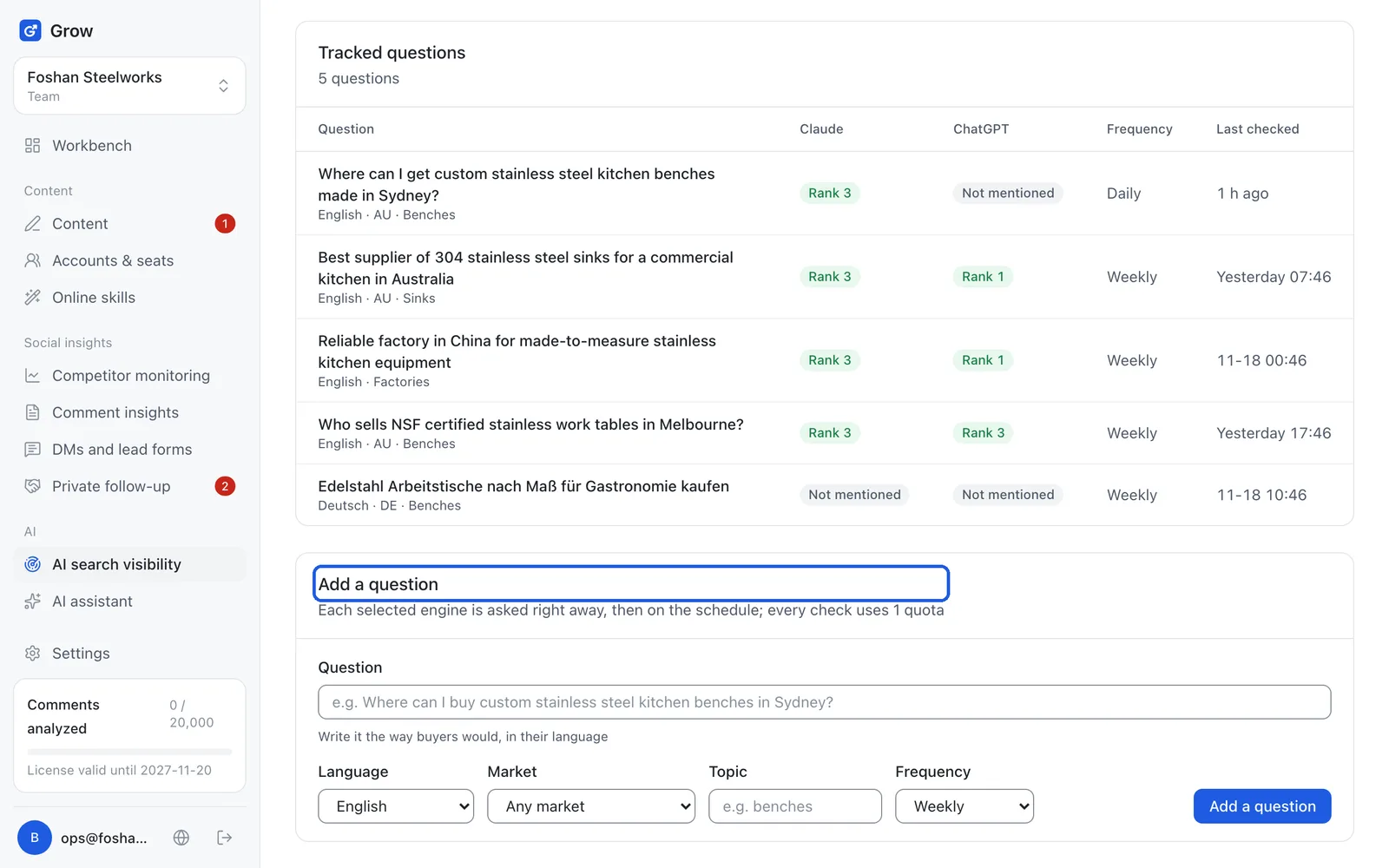
Tip: Each check uses 1 from your allowance. There is a limit on how many questions one workspace can track.
- Step 3
Read the results
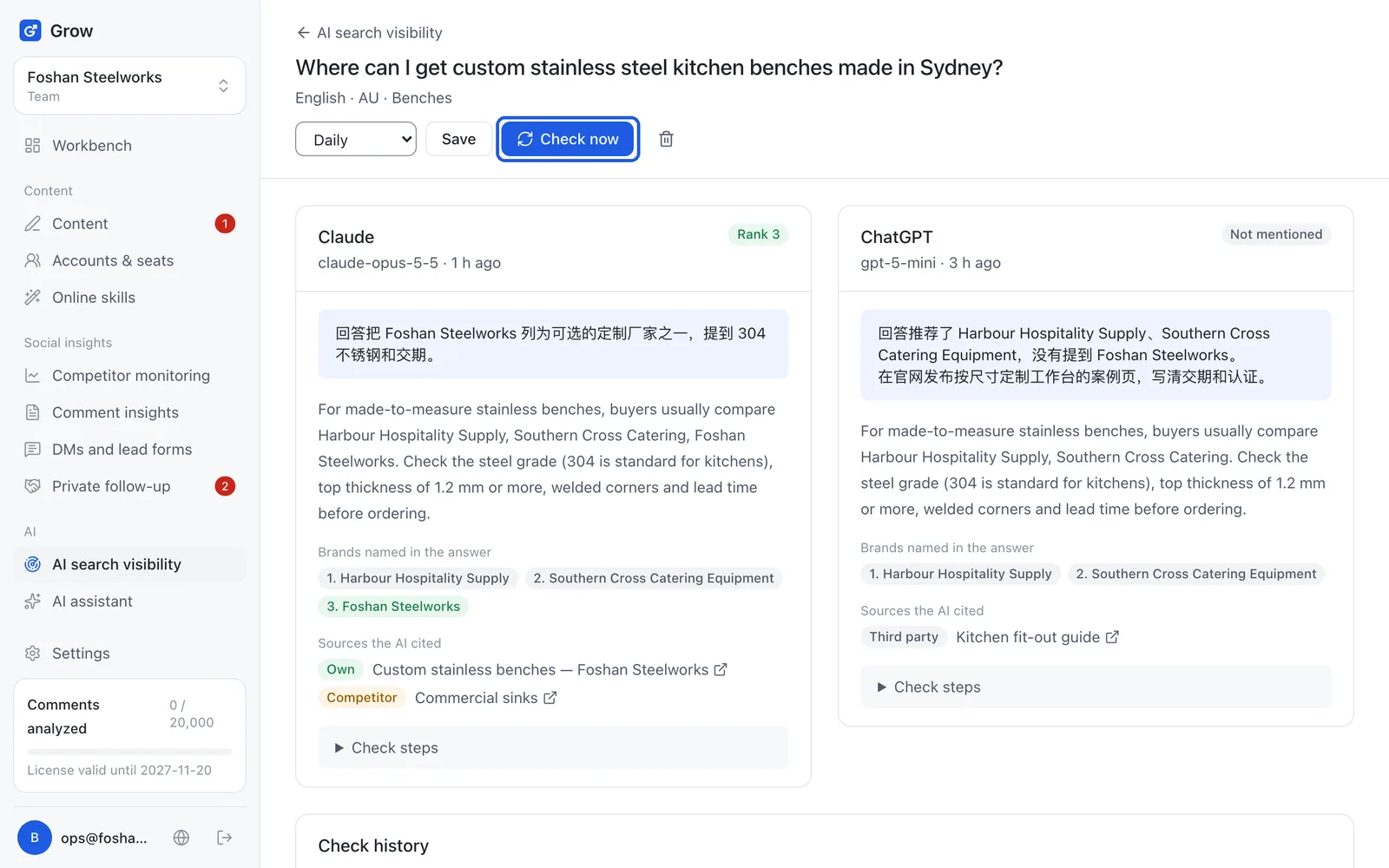
The visibility page shows visibility (how many answers mention you), average position, share of voice (how often AI answers mention you compared with each competitor), and which websites the AI cites. Open a question to see each answer. To check again right now, click "Check now".
Still stuck?
Message @JamesAI on X with a screenshot and we will take a look.