Group bot notifications
Connect a Feishu or WeCom group bot, and reminders, failed posts and the daily plan are sent to the group.
After this chapter: your group chat tells you what to post, without keeping Grow open.
- Step 1
Add a bot in your group and copy its address
Feishu: open the group, go to "Settings → Group bots → Add custom bot" (leave the security settings, such as keywords, IP allowlist and signature, unticked, or Grow's messages may not get through), and copy its address: a long web address starting with https://, called "Bot address (webhook)" in Grow. WeCom: in the group, choose "Add group bot" and copy its address the same way. Personal WeChat groups cannot be connected. If you have neither Feishu nor WeCom, you can sign up for Feishu for free and make a group with just yourself for the reminders.
- Step 2
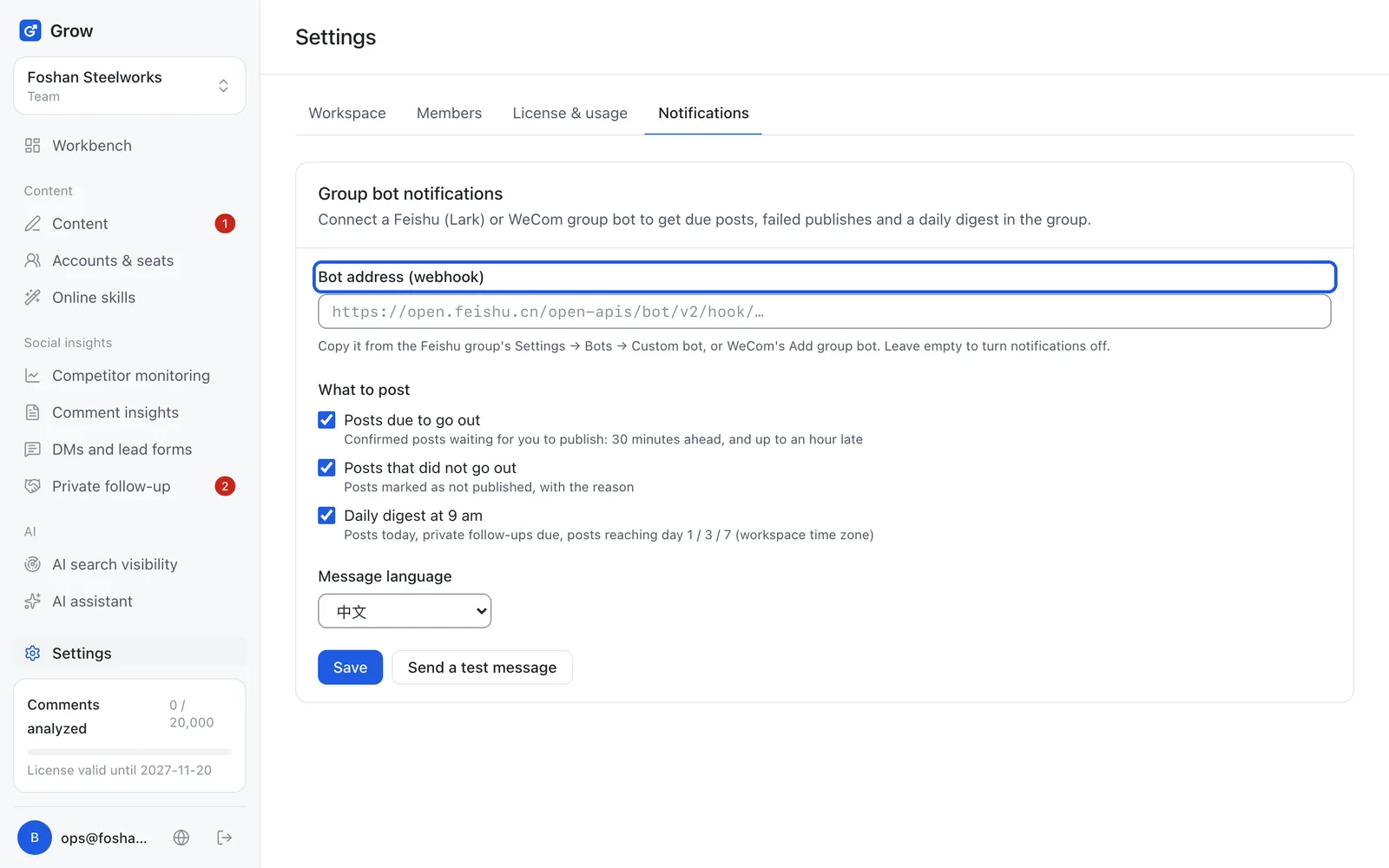
Paste it into Grow and choose what to send
In Grow, open "Settings → Notifications" and paste the address into "Bot address (webhook)". Tick what to send: posts due to go out (reminder 30 minutes before), posts that did not go out (with the reason), and today's plan at 9 am every morning. Pick the message language and click "Save".
- Step 3
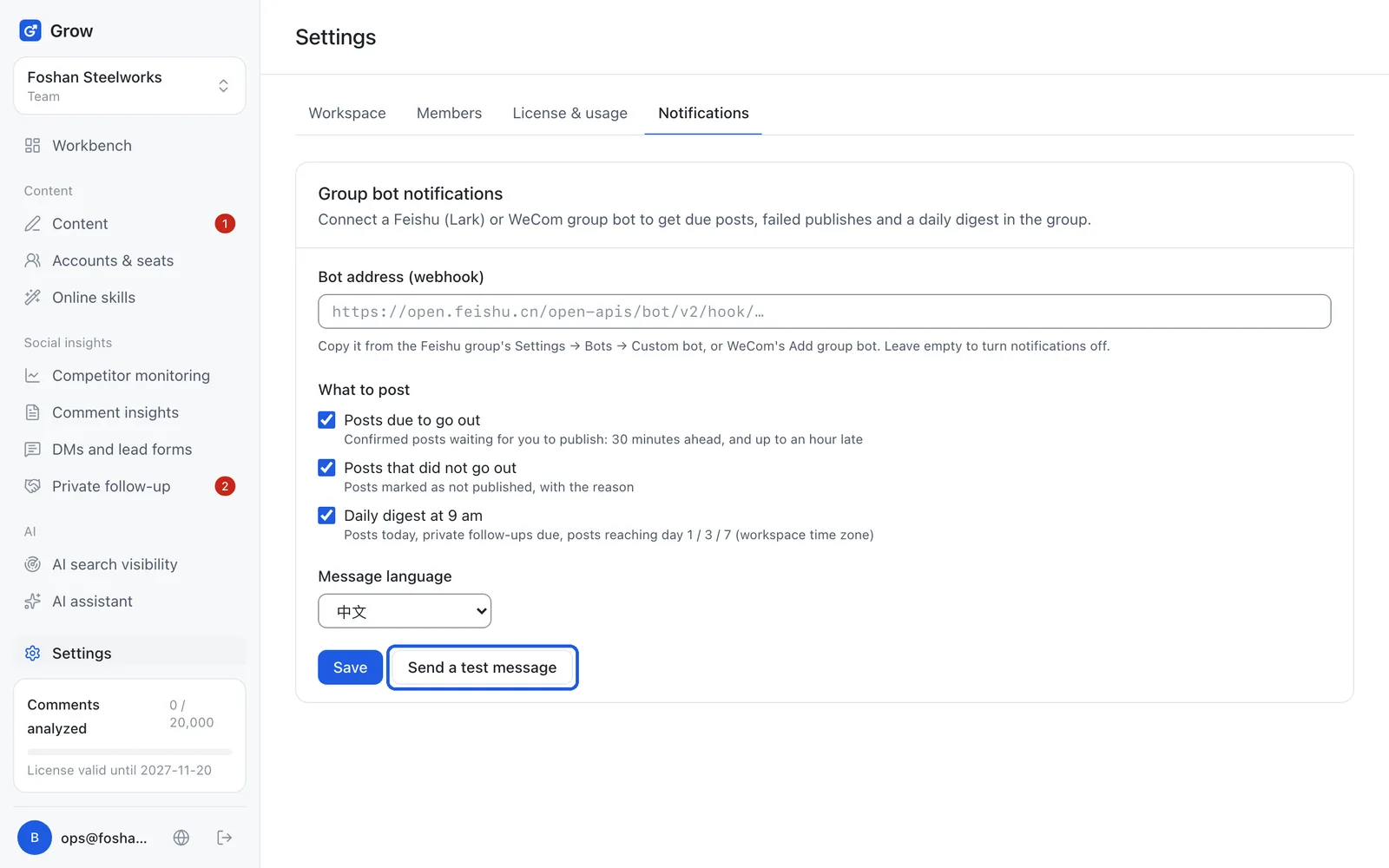
Send a test message
Click "Send a test message" and check the group. If it arrived, you are done. To turn notifications off, clear the address and click "Save".
Still stuck?
Message @JamesAI on X with a screenshot and we will take a look.