Private follow-up
Put customers from lead forms and DMs on a board, let the AI suggest your next line, follow up on the agreed dates, and mark the deal.
After this chapter: you know when to contact each customer and what to say.
- Step 1
Open private follow-up
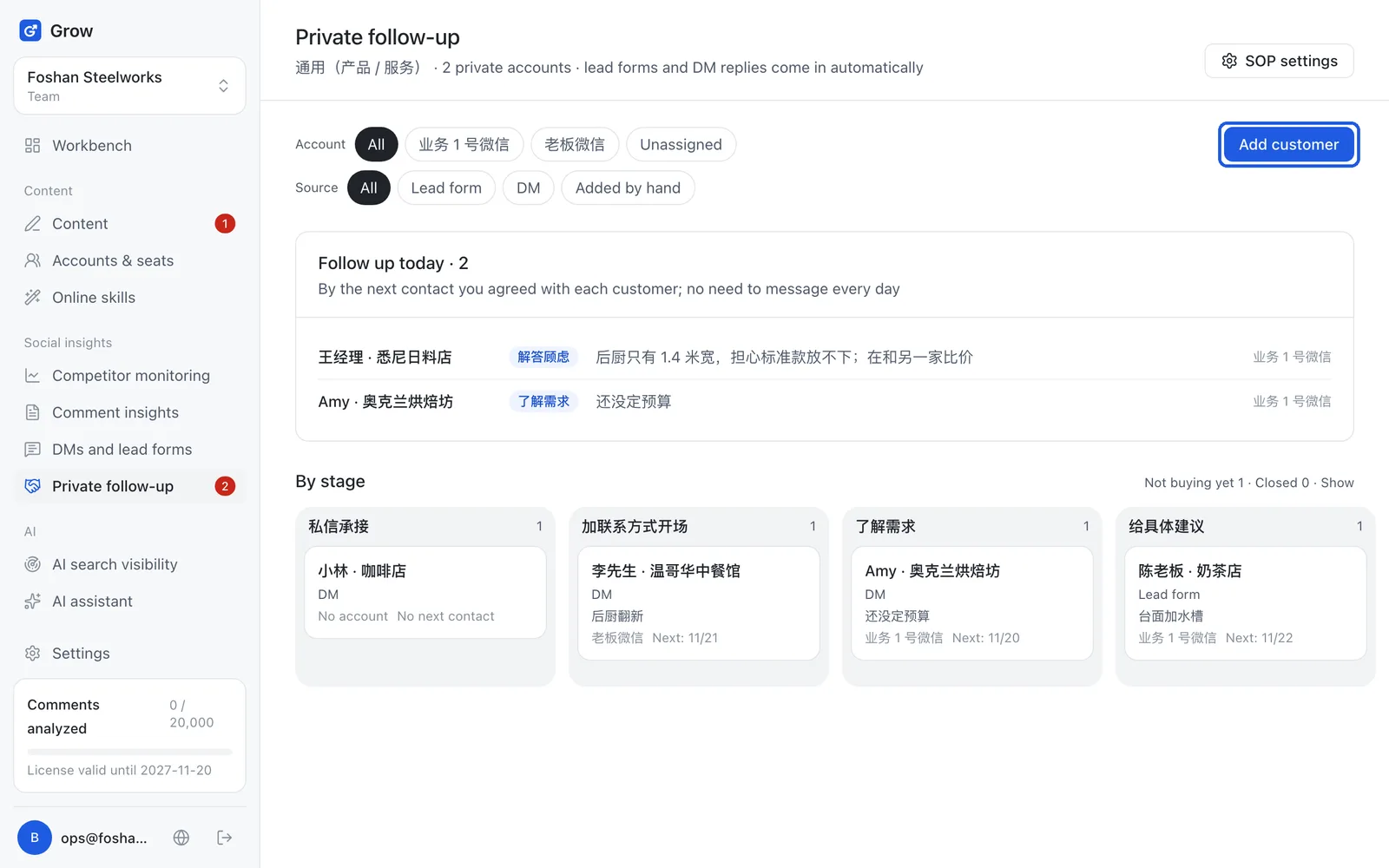
Private follow-up means customers who already added you on WeChat or WhatsApp, won one conversation at a time. Click "Private follow-up" on the left. Lead form submissions, and people who reply "interested" or "have a question" to a DM, become customer cards on their own. For customers you met in person or through friends, click "Add customer" to add them by hand.
- Step 2
Start with "Follow up today"
The top of the board lists who to follow up with today, based on the next contact dates you agreed. Below, all customers are grouped by stage. "Account" means which WeChat account is looking after this customer; if you only have one WeChat, ignore it. Customers you add by hand start at the first stage. If they have already added you on WeChat, open the card and use "Update stage" to move them to the right stage first, so the AI writes for that stage.
- Step 3
Open a customer card and let the AI write the next line
Open a customer and find "AI next line". Paste what the customer just said (optional) and click "Write a suggested reply". The AI follows your follow-up process and the confirmed facts in your brand profile. Read it, copy it, and send it yourself on WeChat.
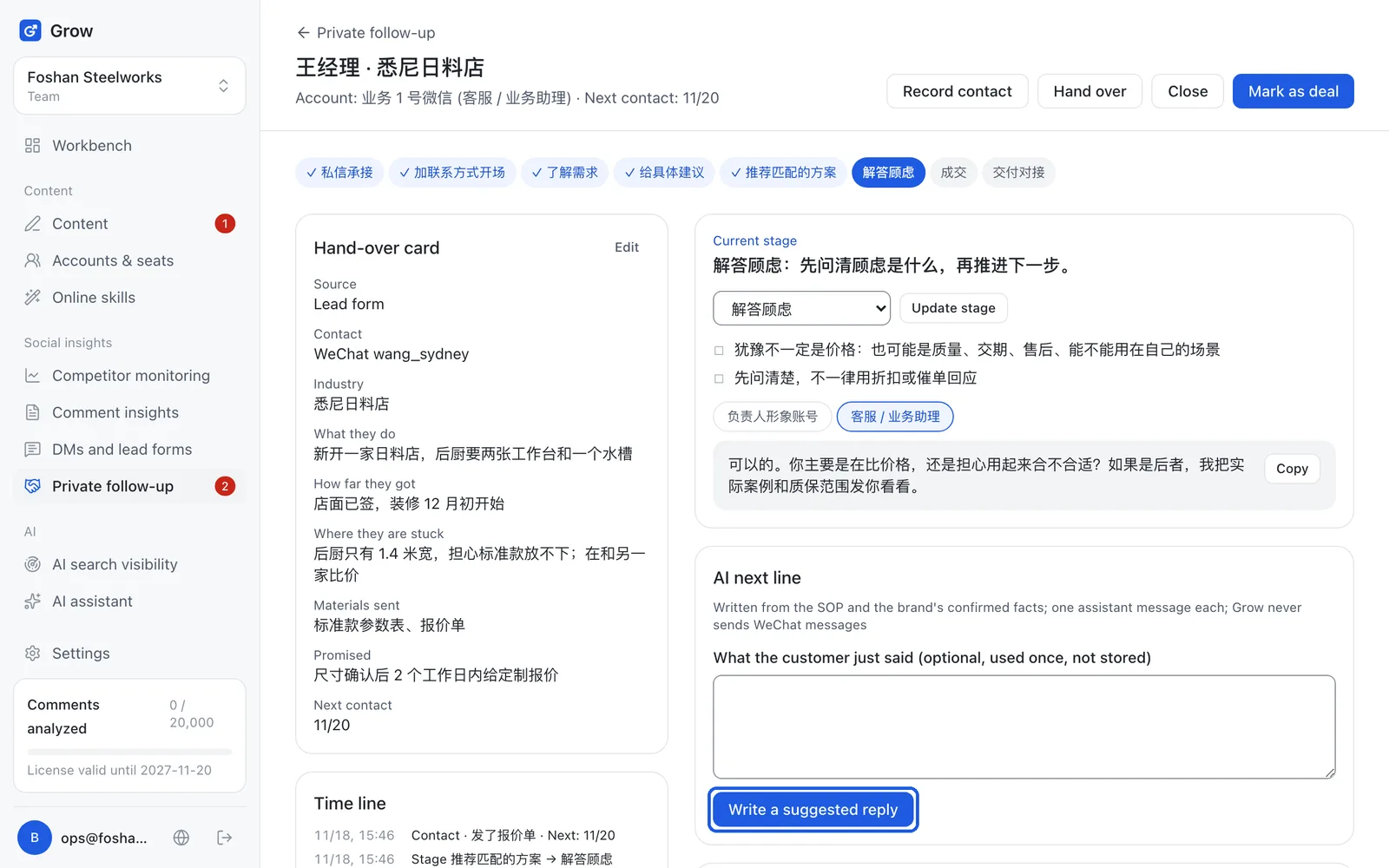
Tip: Grow does not send WeChat messages for you. Each reply counts as 1 assistant message.
- Step 4
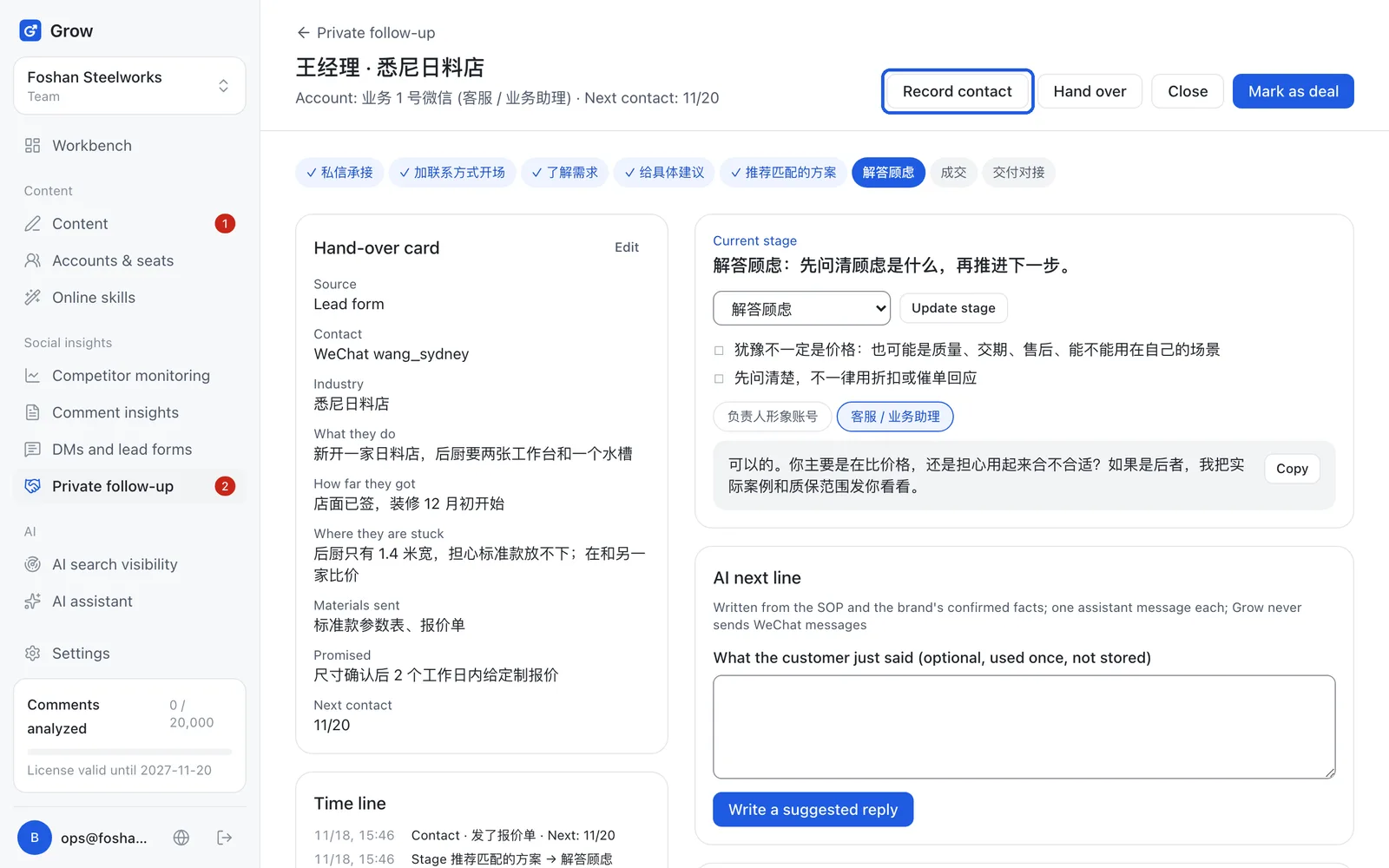
After sending, click "Record contact"
Click "Record contact", note what you talked about, set a next contact date, and save. At 9 am that day, the customer appears under "Follow up today".
- Step 5
"Mark as deal" only after the money arrives
When the customer has paid, click "Mark as deal", tick "I checked the payment arrived", add the amount if you like, and click "Confirm deal". Check the payment first, then tell the customer the deal is done. That keeps mistakes out.
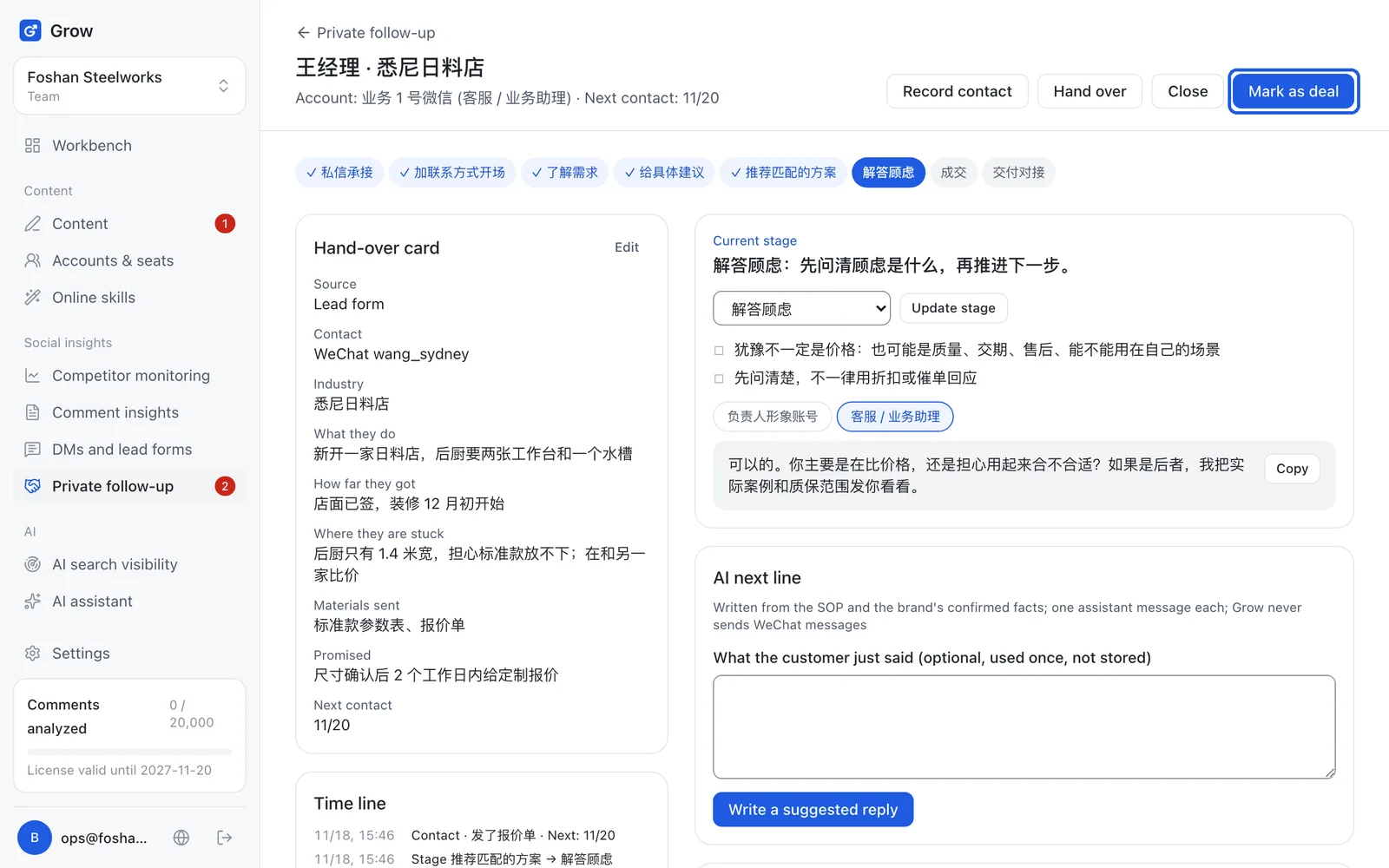
Tip: If you stop following up with a customer, click "Close" and write the reason. The card and its timeline are kept.
- Step 6
Adapt the follow-up process to your own words (optional)
On the private follow-up page, click "SOP settings". An SOP is a fixed follow-up process: which stages there are and what to say at each. Grow comes with a built-in template. To make your own, fill in the template name, pick which one to start from and click "Create and edit" to copy the built-in one and change it, or let the AI draft one from your brand profile.
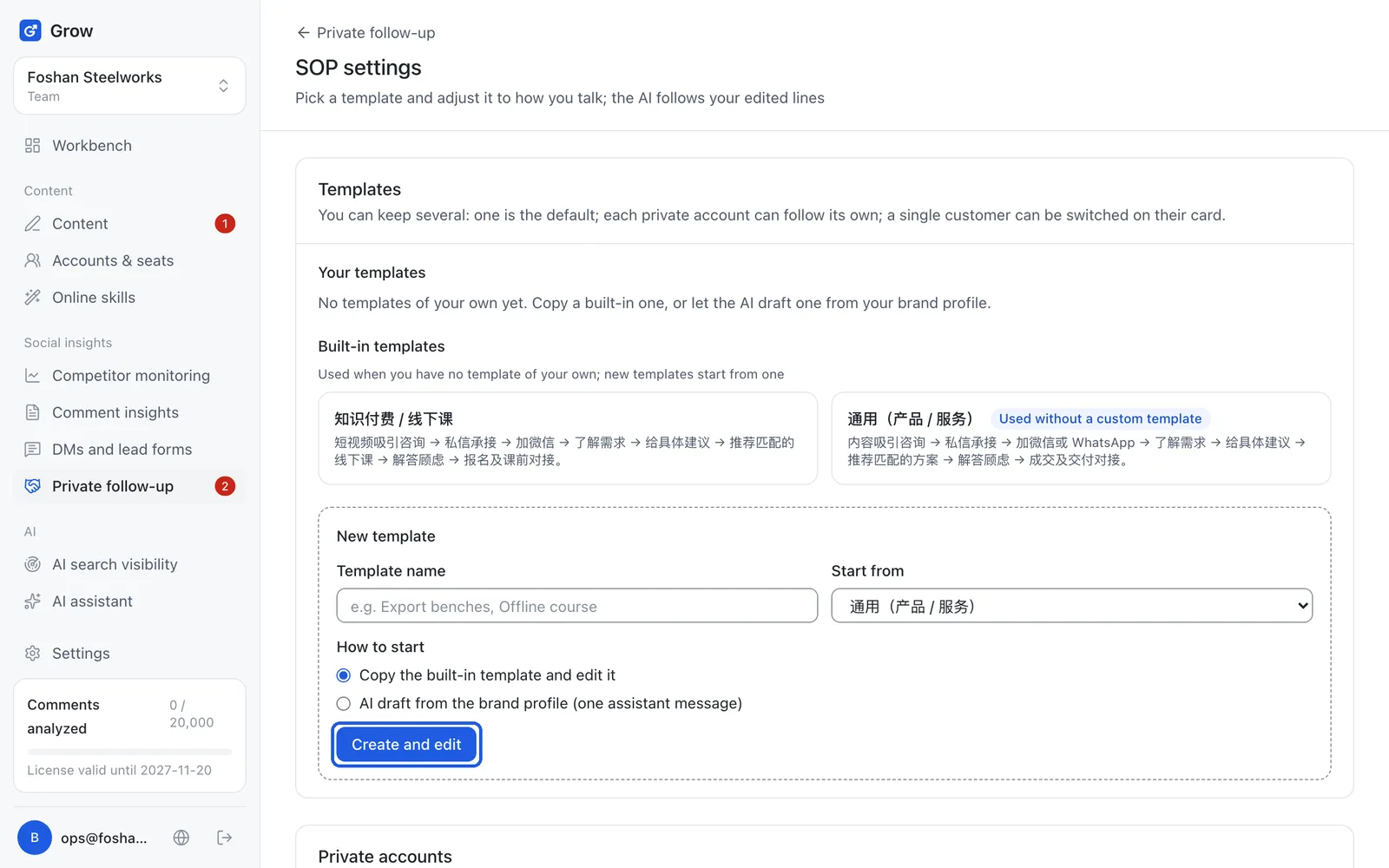
Tip: Only owners and admins can change the SOP settings.
Still stuck?
Message @JamesAI on X with a screenshot and we will take a look.